Mobile internet often becomes slow, videos do not load properly, or buffering issues occur while using social media—if this happens to you, then you are not alone. I have also faced this problem many times. In such situations, slow internet affects your work, studies, and entertainment—all three.
Keeping this problem in mind, today in this article, we are going to tell you about tested and working methods with the help of which you can boost your mobile internet speed by up to 10x.
Mobile Internet Speed Boost
All these methods are practical, easy, and the most important thing is that you do not need any paid app or technical knowledge to follow them.
If you really want your mobile internet to run fast, web pages to open quickly, and video streaming to work without interruption, then make sure to read this article till the end. Trust me, the tips mentioned here can completely change your daily internet experience.
Reasons for Weak Network Signal
Reasons for Weak Network Signal
The most common reason for slow mobile internet is a weak phone signal. If you are in an indoor area, a basement, a lift, or a rural location, the data speed automatically drops due to a greater distance from the tower. In such cases, slow internet is normal when network bars are not full, especially during peak hours.
When the signal is weak, the phone continuously searches for the tower, which affects data stability. This is why sometimes the internet speed automatically becomes faster as soon as you move to an open area.
Data Limit or Fair Usage Policy
Data Limit or Fair Usage Policy
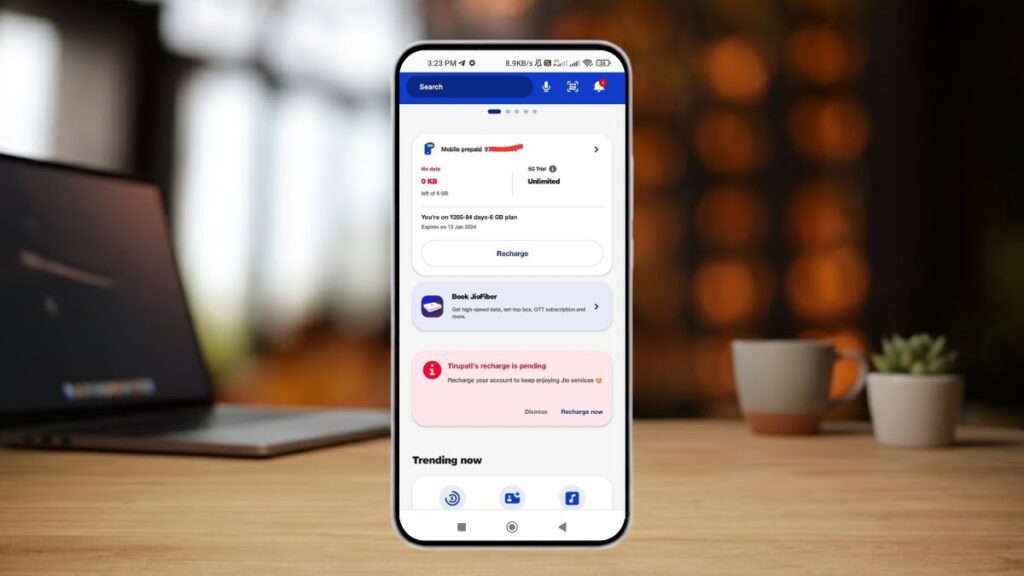
If your daily data limit is exhausted or the Fair Usage Policy is applied, the speed gets drastically reduced. You should know that even in unlimited plans, a speed cap is applied after using a certain amount of data, which many users do not even notice.
Earlier, when Jio introduced plans in India, even after the daily data limit was exhausted, normal speed was still available. But now, the internet speed has become so slow that even normal browsing feels difficult.
Background Apps Are Using Data
Background Apps Are Using Data
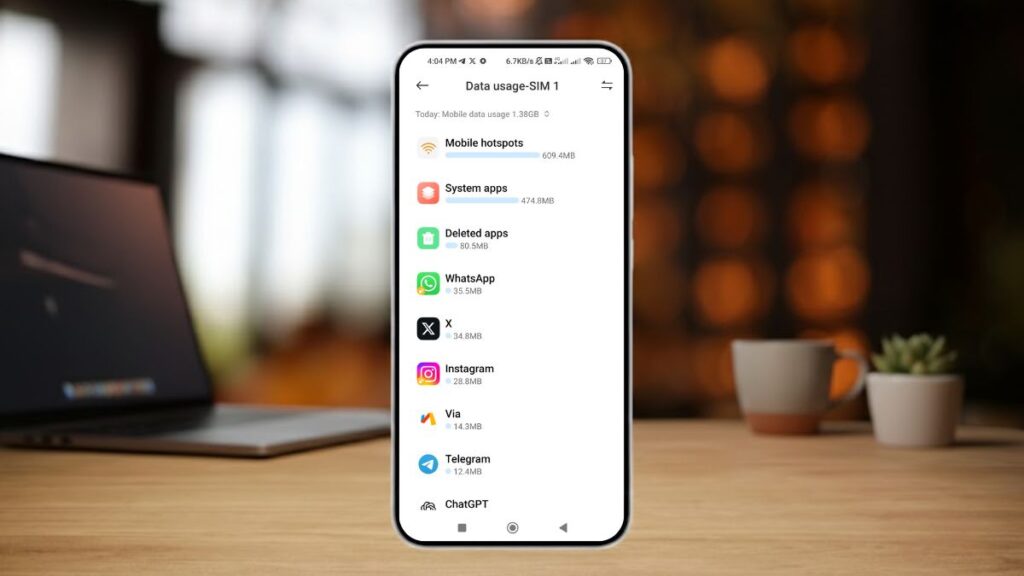
Many mobile apps silently consume data in the background, such as cloud backup, auto-updates, social media sync, and location services. When multiple apps use data at the same time, the available bandwidth gets divided, and active browsing feels slow.
This problem is seen more on low-RAM or budget phones. The reason is that many smartphone companies pre-install unused bloatware applications on budget phones. This helps companies earn profits, but these unused apps consume users’ data and RAM—around 20% to 40% of mobile internet data—every day.
The solution is to manually uninstall such apps. If an app cannot be uninstalled, you can block its internet access using the Restrict Data Usage option. This feature is available on Xiaomi phones and can be found in the App Info settings.
Phone Settings and Network Mode Issues
Phone Settings and Network Mode Issues
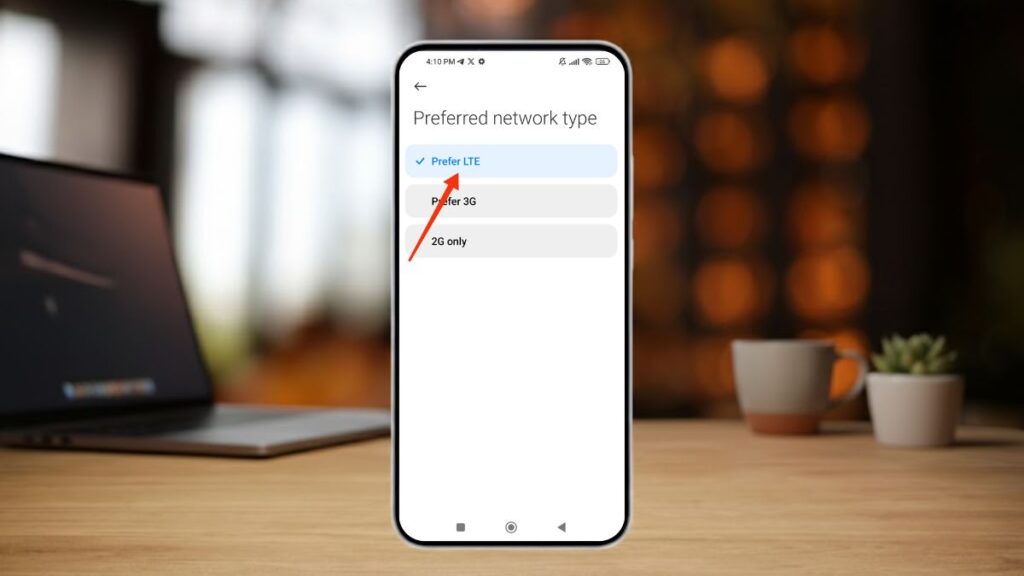
If the wrong network mode is selected on your phone—such as 2G/3G preferred—or if the auto mode is not properly configured, you may get slow speed even when 4G or 5G is available. Many users also do not check settings after a phone reset or update, which affects network performance. Therefore, you should check all these settings at least once.
Cache and Temporary Files Overload
Cache and Temporary Files Overload
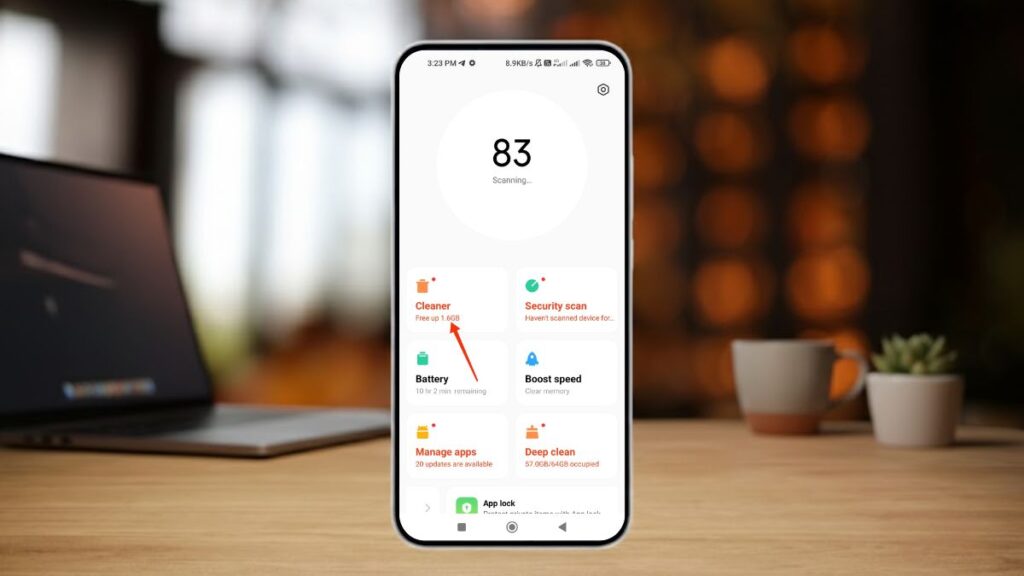
Over time, app cache and junk files accumulate heavily on the phone. This can slow down both phone performance and internet response time. When the browser cache becomes too heavy, websites do not load properly. For this reason, you should regularly clean the temporary cache. The benefit of this is that your phone’s RAM stays clean, which helps prevent phone-hanging issues.
Effective Tips to Boost Mobile Internet Speed
Effective Tips to Boost Mobile Internet Speed
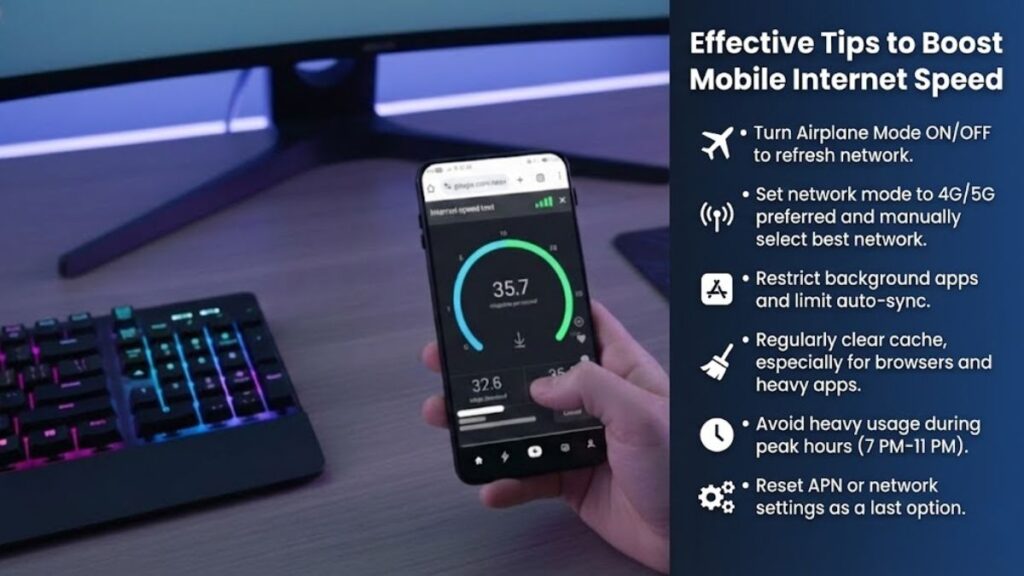
If you want to make your mobile internet faster, you should follow these effective tips:
First, turn Airplane Mode ON and OFF to refresh the network. This simple trick often shows instant speed improvement.
Set your phone’s network mode to 4G/5G preferred and manually search for networks to select the best available option.
Restrict unnecessary background apps and limit auto-sync options. This keeps data bandwidth free.
Regularly clear the cache, especially for browsers and heavy apps. This improves page loading speed.
If possible, avoid heavy usage during network peak hours (7 PM–11 PM). Internet speed is comparatively better during off-peak hours.
As a last option, resetting APN settings or network settings can also be helpful, especially if the problem started after a software update.
I have been following these methods since I started using smartphones. Whenever my internet speed becomes slow, I use these techniques, and the important thing is that they work for me.
However, the mobile internet is not always slow because of the phone. Sometimes, during rainfall or due to technical errors from the internet service provider, the internet speed becomes very slow. This usually happens for a short time and gets fixed soon.
If you face slow internet problems every day, you should contact your internet provider’s customer care by phone—they will fix your issue. Even after doing this, if your slow internet problem is not resolved, try changing your internet provider. This will solve your problem in 99% of cases.
Conclusion
In conclusion, slow mobile internet is a common problem, but the solution is not changing the network or buying a new plan. By identifying the real cause and improving basic settings and usage habits, good speed can be achieved even on an existing connection.
If the problem persists, contacting the network provider support would be a wise decision. If you want more mobile tips, internet guides, and smartphone solutions like this, following tech platforms like Phone Jagat can be very helpful for you in the long term.
Mobile Internet Speed Boost Tips: FAQ’s
Why does the mobile internet become slow frequently?
Mobile internet slows down due to weak network signals, high data usage, background apps, network congestion, or fair usage policy limits.
Does airplane mode really improve internet speed?
Yes, turning airplane mode ON and OFF refreshes the network connection and can instantly improve internet speed in many cases.
Do background apps affect mobile internet speed?
Yes, background apps consume data silently, which reduces available bandwidth and makes active browsing and streaming slow.
Can cache files slow down internet speed?
Heavy cache and temporary files can delay page loading and reduce internet responsiveness. Regular cache clearing helps improve speed.
When should I contact my internet service provider?
If slow internet persists daily even after applying all settings and fixes, contacting customer care or switching providers is recommended.